
Quick Start
TIP
You can create your first user and add your first bank access without any coding efforts using ATLAS ↗.
What We're Going to Do
We'd like to guide you through the first steps you're probably going to take with our interface: You will probably want to create a first user and add a bank access for them. This will give you a good first impression on what data is available through our API, how to interact with it in general as well as some of the concepts we're using.
For starters, bear in mind we're basing our authentication on the (2-legged) OAuth2 protocol. Therefore, you will be supplied with a "refresh token" in order to fetch a new access token.
INFO
You can find information on token types and levels in the chapter on the OAuth2 protocol. We recommend you read this first and then return here.
Create a Client Token
POST /auth/oauth2/token HTTP/1.1
Host: banksapi.io
Authorization: Basic c29<...>U=
Content-Type: application/x-www-form-urlencoded

grant_type=client_credentials
The first step will be to fetch a fresh access token on management level in order to be able to create a new user. For this, we will use the Create Token call. You can see the call above. If you don't have API credentials yet, request API access ↗.
TIP
In order to adhere to the OAuth2 standard, this call is the only one in the API that uses content type application/x-www-form-urlencoded for the payload.
The only required field of this call is grant_type, which we fill with client_credentials, because we want to create a token on management (i.e. client) level. The scope parameter can be left out, in which case we will receive the full scope. If at a later point we want to limit this for security or design reasons, we can add the scopes that we'd like this token to have.
{
    "scope": "http://banksapi.io/customer/read http://banksapi.io/provider/read http://banksapi.io/customer/modify http://banksapi.io/customer/ueberweisung auth/tenants/users/create",
    "tenant": "demotenant",
    "tenantId": "550e8400-e29b-41d4-a716-446655440000",
    "client": "demoTenantClient",
    "additionalData": {},
    "validTo": "2026-01-20 22:38:39",
    "active": true,
    "issuedAt": 1737408119,
    "expiresAt": 1737415319,
    "access_token": "edbc0a13-19c3-4a10-ac96-bbfe900a0a06",
    "token_type": "Bearer",
    "expires_in": 7200
}
The response we can see above: Together with some additional data, we receive an access_token of type Bearer, valid for two hours, for our tenant demotenant. Make note of the tenant name, we'll need it in the next call.
Create a User
With the new token we've just created, we will now create our first user.
TIP
A "user" in BANKSapi terminology is a technical user, corresponding 1:1 to a "customer" in the customer API. Most often, this will be a human user (i.e. end consumer). Although technically both terms signify different objects, for the sake of simplicity you can use them interchangeably.
POST /auth/mgmt/v1/tenants/demotenant/users HTTP/1.1
Host: banksapi.io
Content-Type: application/json
Authorization: Bearer edbc0a13-19c3-4a10-ac96-bbfe900a0a06

{
    "username": "user1",
    "password": "Password123"
}
For this, we will use the Create User call. You can see the call above. The required fields are username and password, so we will set these values.
TIP
How you fill these values is up to you. For an app design, it might make sense to use the actual or derived password of the end consumer, or a hash of the same. This will result in you only being able to access data of the user when the user is online and has entered their password. Alternatively, you might want to create a new secret for the user and persist it in encrypted form (e.g. encrypted with a user PIN, or some other value that makes sense in your design) in your database.
The Content-Type is application/json in this (as in every other) case, and we use the new Bearer token as Authorization. As a last parameter, note the tenant id in the URL, because we're creating a user for that (your) tenant. This is the same tenant that we have received in the response of the previous call.
The response will be an HTTP 201 Created success status response with no body, indicating the user has been created.
Create a User Token
POST /auth/oauth2/token HTTP/1.1
Host: banksapi.io
Authorization: Basic c29<...>U=
Content-Type: application/x-www-form-urlencoded

grant_type=password&username=user1&password=Password123
Now we need to fetch a fresh access token on the user level. As in the first call, we will use the Create Token call, but with different parameters. You can see the call above.
This time, as we're fetching a token on user level, we are using grant_type=password, not client_credentials. This is according to the OAuth2 password grant. Of course, for username and password we're using the values that we have specified in the previous call.
{
    "scope": "http://banksapi.io/provider/read http://banksapi.io/customer/read http://banksapi.io/customer/modify http://banksapi.io/customer/ueberweisung auth/tenants/users/create",
    "tenant": "demotenant",
    "tenantId": "550e8400-e29b-41d4-a716-446655440000",
    "client": "demoTenantClient",
    "user": "0049e4d6-824f-4839-823d-7a2ad4660c4e",
    "additionalData": {
        "username": "user1"
    },
    "validTo": "2026-01-20 22:56:47",
    "active": true,
    "issuedAt": 1737409007,
    "expiresAt": 1737416207,
    "access_token": "0bac1d52-4eb0-4fe2-951e-cf6ff9dc4235",
    "token_type": "Bearer",
    "expires_in": 7200
}
As a response, we receive a similar JSON object as before. This time, as additionalData we receive the username to indicate it's a token on user level.
That's it for the Auth API, all subsequent calls we'll make with the Customer API with our new Bearer token on user (i.e. customer) level.
Create Bank Access
TIP
There is also an embedded way to create a bank access by utilizing WEB/Connect, a collection of web components. For more details, see the WEB/Connect chapter.
With the new token, we can access the full range of customer interactions. But as the user has not added a bank access yet, our options are somewhat limited. So next we're going to add a bank access for that user.
Now it gets tricky: For this operation, you will need to differentiate whether you are a regulated or a non-regulated customer. Non-regulated customers will not be allowed to receive the credentials to a provider (e.g. a bank) on their own domain. These are considered sensitive payment information and the handling of this is regulated by the authorities. Therefore, they will have to redirect the customer to us, the customer will select a bank and enter sensitive payment information on a BANKSapi frontend (REG/Protect) and complete the authorization flow, then the customer is redirected back to you.
TIP
For simplicity's sake, we are going to follow the non-regulated client flow, as this will not require us to go through the SCA cases (these are handled completely by REG/Protect).
POST /customer/v2/bankzugaenge HTTP/1.1
Host: banksapi.io
Content-Type: application/json
Authorization: Bearer 0bac1d52-4eb0-4fe2-951e-cf6ff9dc4235

{
    "629e4510-5331-47d4-9bad-8902039ff762": {
    }
}
For adding a new bank access, we will use the Add Bank Access call. You can see the call above.
No surprises in the headers, Content-Type is application/json as with all the calls in the Customer API, Authorization is our new Bearer token on user level.
INFO
For interactive operations like adding bank access, you should include the Customer-IP-Address header with the user's IP address (e.g., Customer-IP-Address: 123.234.123.234). This is required by banks post-PSD2 as proof of user interaction. For details, see the Customer IP Address section.
The payload requires a bit of explanation: A bank access is referenced by a UUID. Because it might be necessary for you to query the bank access object without any response from BANKSapi, this UUID needs to be chosen and set by you. Therefore, the UUID visible in the body is a new UUID that you need to create with a suitable UUID generator.
INFO
It is very advisable except in some very rare cases to use a completely new UUID, rather than any UUID corresponding to the user. Don't be tempted to use the user UUID that was returned in the previous call. Although it looks simple, it will lead to problems when you add the second bank access for this user, because what will it be referenced by?
The banks access object (referenced by the UUID) is empty in this case as in {}. The reason is that in the REG/Protect case, you can neither send us a credentials object (this would require a regulatory license to handle sensitive payment data) nor a provider ID (the user will be able to select the bank in the REG/Protect wizard). The last optional flag, sync, indicates whether the bank access should be persisted on BANKSapi end. For REG/Protect clients, this must be true (which is also the default value) and can therefore be omitted.
HTTP/1.1 451 Unavailable For Legal Reasons
Location: https://banksapi.io/customer/v2/webform?session=ef2fdd3b-a087-447b-843c-670325d003f4&useCase=CREATE_ACCOUNT
The result will be an HTTP 451 Unavailable for Legal Reasons status response with no body. Admittedly used rarely, for this case it's the perfect response code, indicating you are not allowed to create a bank access yourself (for legal reasons) but will have to have us do it for you.
In the background, we have created a corresponding short-lived frontend session and are prepared to have the user come to our domain for completing the process. The URL of our frontend will be delivered through the Location response header.
In order for us to know where to redirect the user after completion, you will need to add a callbackUrl query parameter to the URL before redirecting the user there, as indicated in the docs on Adding and authenticating bank access. This callback URL needs to be URL encoded
In our example, we would therefore redirect the user to https://banksapi.io/customer/v2/webform?session=ef2fdd3b-a087-447b-843c-670325d003f4&useCase=CREATE_ACCOUNT&callbackUrl=http%3A%2F%2Fexample.com (or, for the first tests, open it in the browser yourself).
Now you can relax for a bit, the user will be completing the process on our frontend:
| Step | Screenshot |
|---|---|
| Accepting our T&Cs (only once per user, for the second bank access this step will be omitted) | 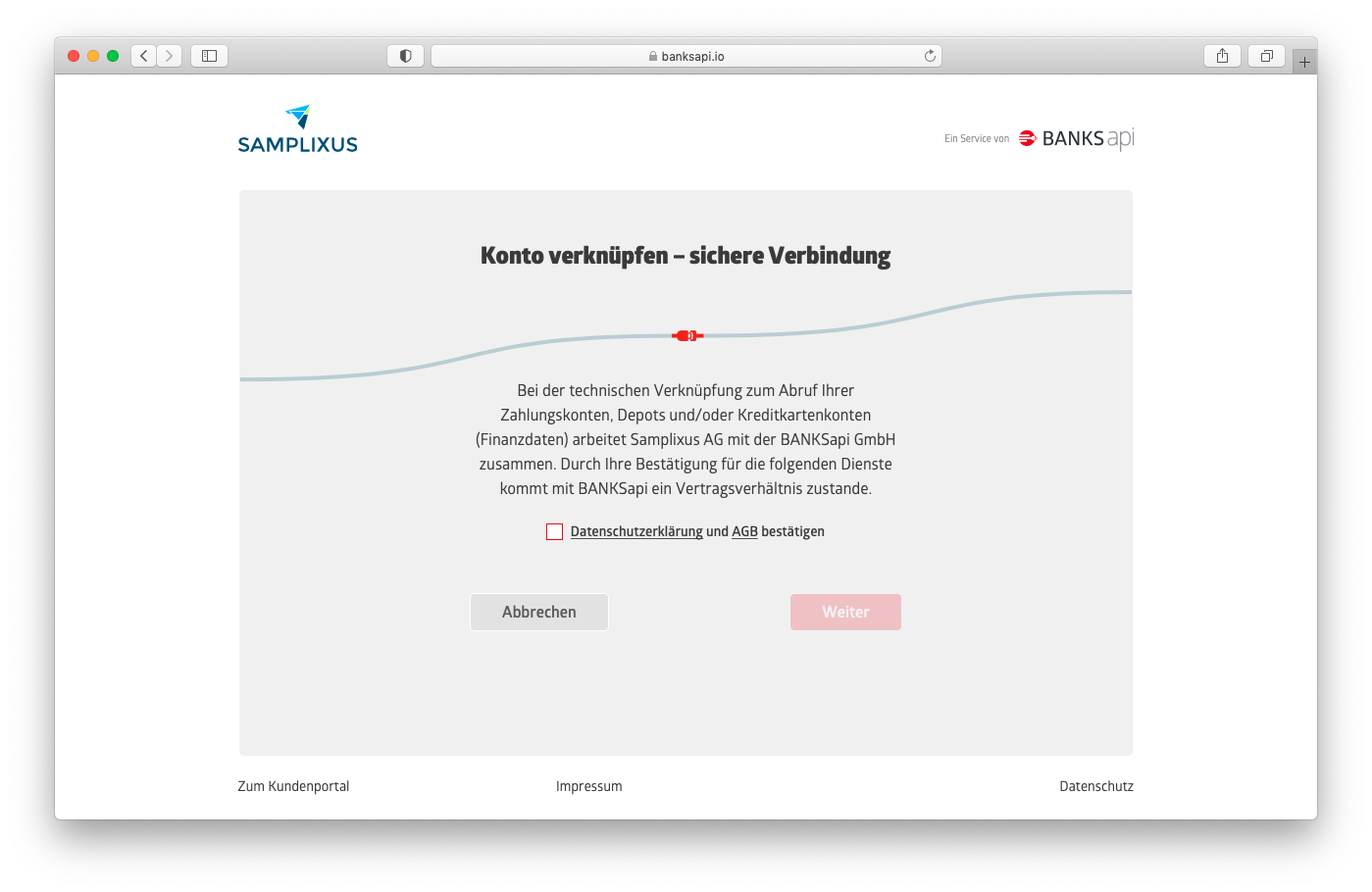 |
| Selecting a provider (see Demo Provider for test credentials) | 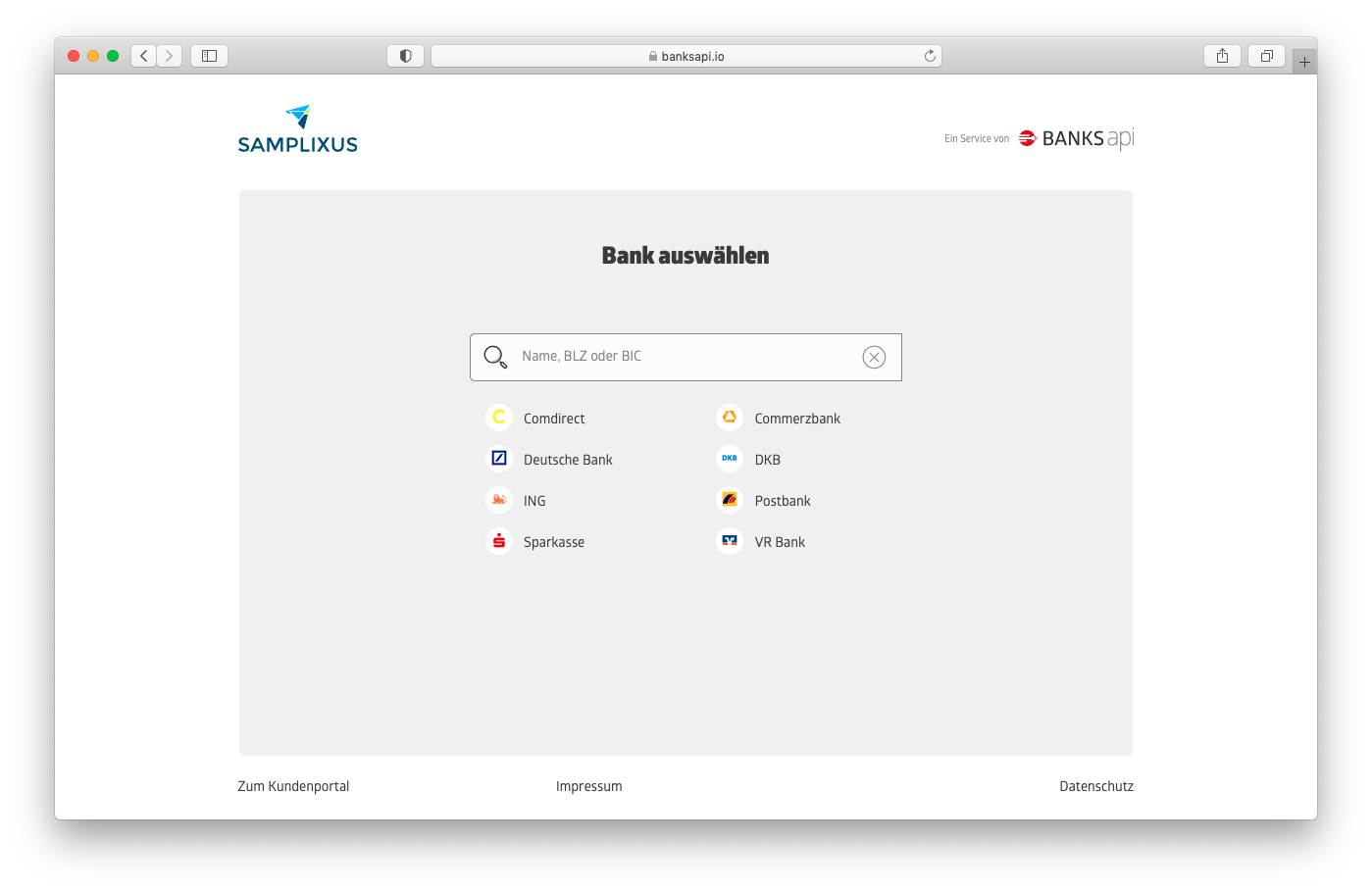 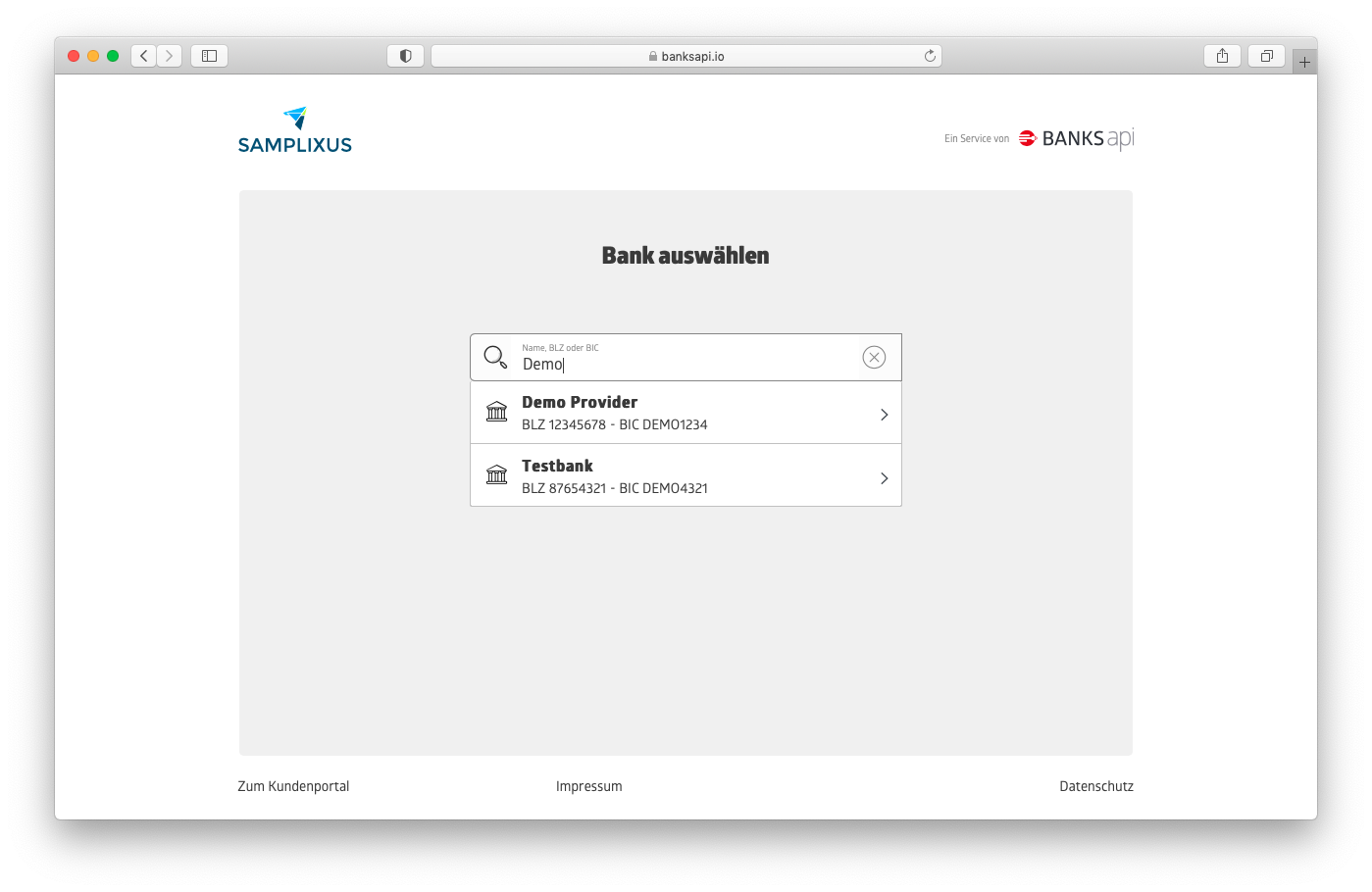 |
| Entering the credentials | 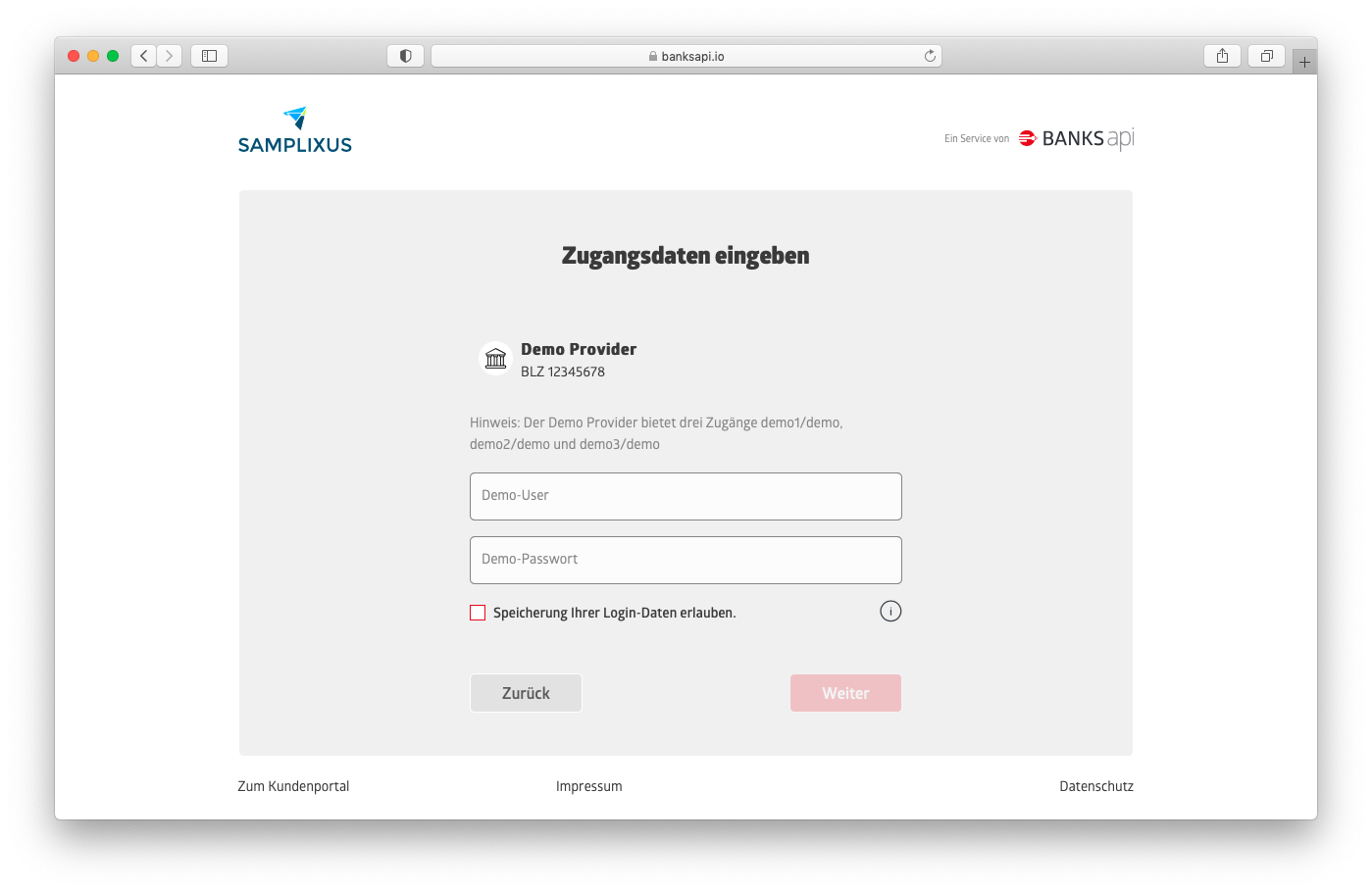 |
| Confirming accounts | 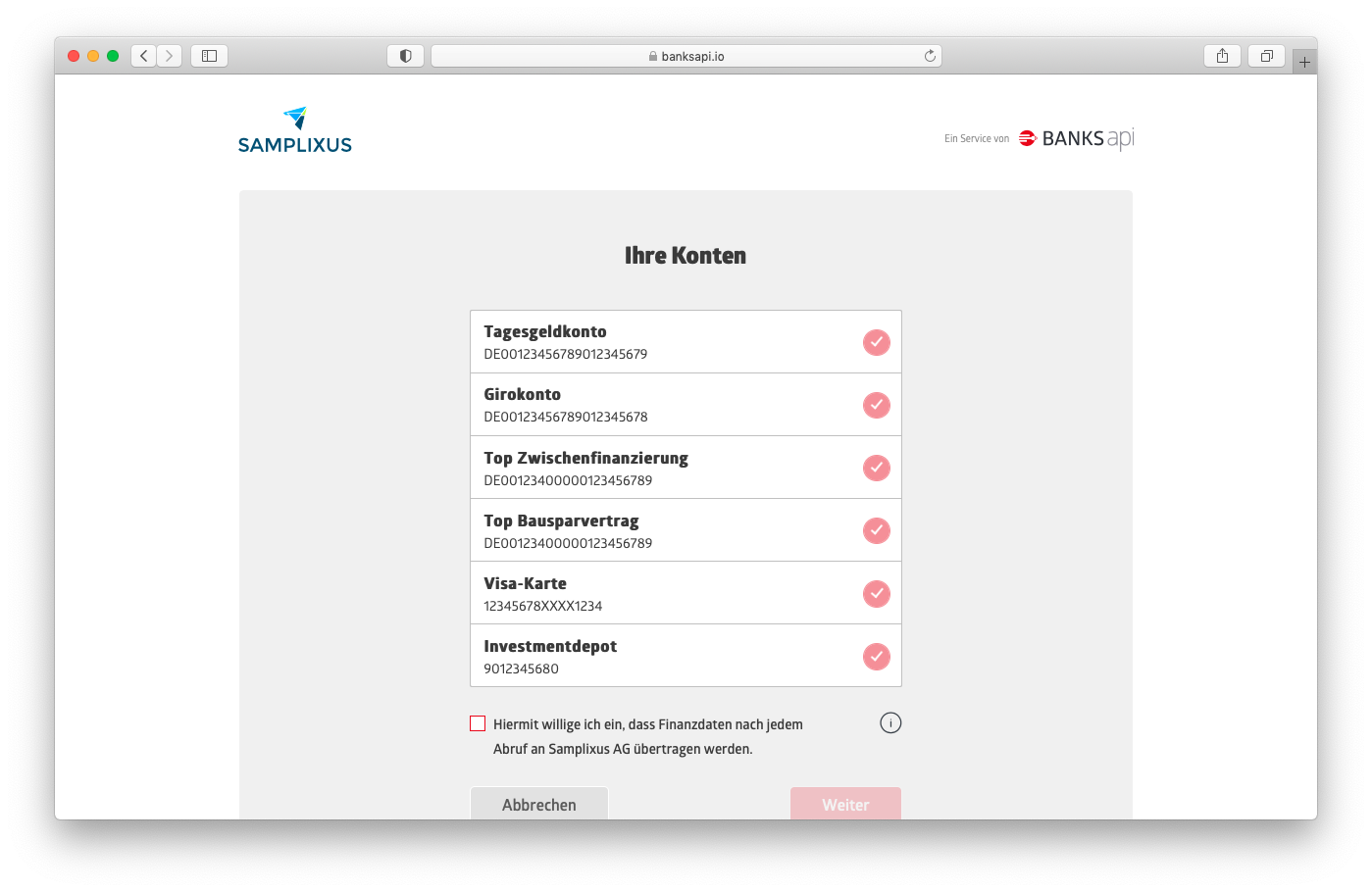 |
| Being redirected back to you | 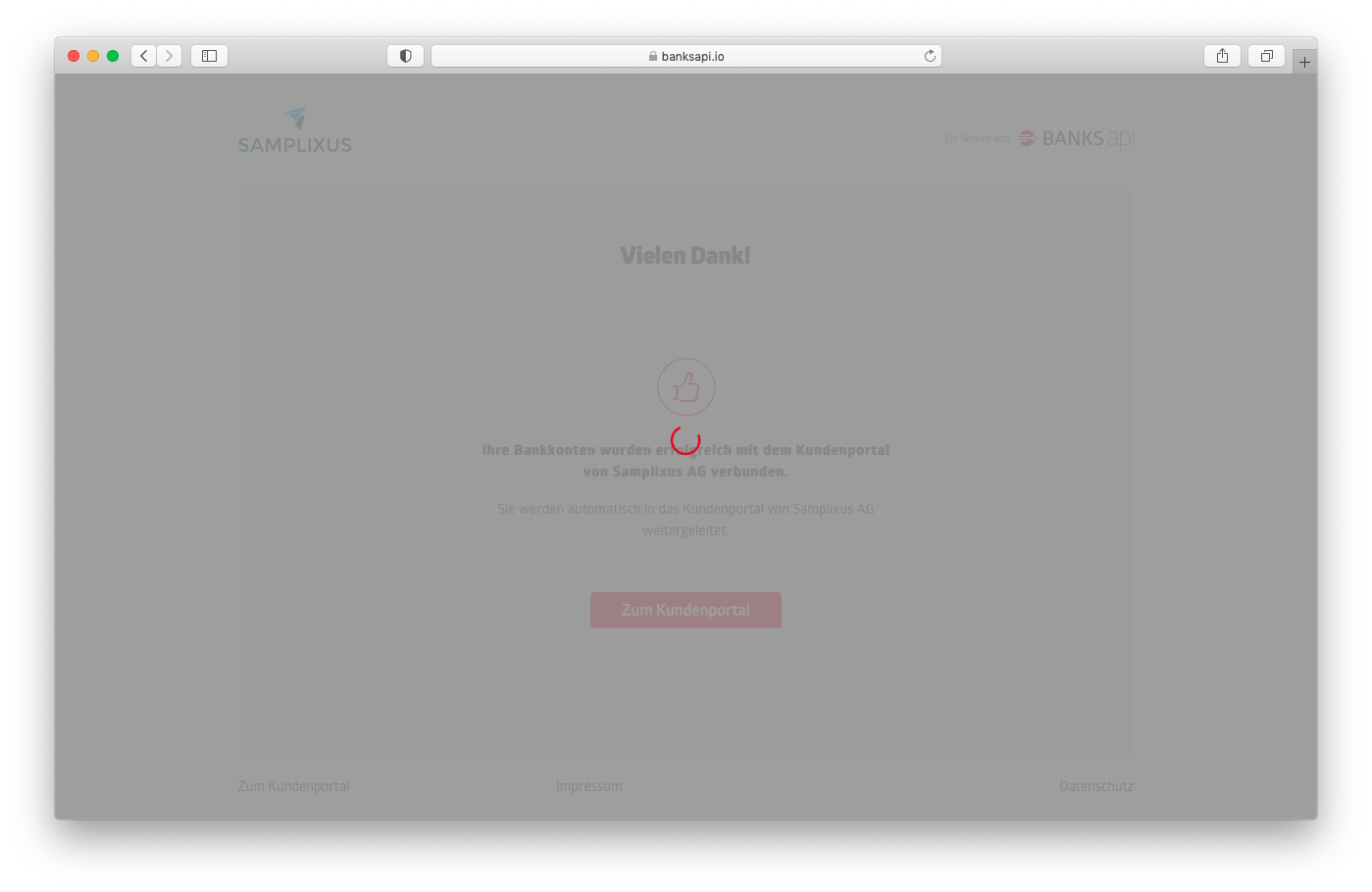 |
The user will be redirected back to the URL you specified previously in callbackUrl, together with a query parameter baReentry indicating the result (normally ACCOUNT_CREATED).
That's it, the account has been created. In the background, we were already communicating with the user's bank or provider, fetching and analyzing data. You can now query the data, continuing with the next requests.
Query Bank Access
GET /customer/v2/bankzugaenge HTTP/1.1
Host: banksapi.io
Authorization: Bearer 0bac1d52-4eb0-4fe2-951e-cf6ff9dc4235
Next up, let's check if the bank access is there and what options we have to go on. We'll use the Get Bank Accesses call, so query all bank accesses of that user instead of a specific one referenced by the ID you chose earlier. You can see the call above.
TIP
Use the access token on the user level for this call.
{
    "629e4510-5331-47d4-9bad-8902039ff762": {
        "id": "629e4510-5331-47d4-9bad-8902039ff762",
        "providerId": "00000000-0000-0000-0000-000000000000",
        "aktualisierungszeitpunkt": "2026-01-20 13:26:13",
        "tanMedien": [
            {
                "name": "Mobil",
                "medienklasse": "MOBIL",
                "gueltigVon": "2026-01-20 13:26:13",
                "gueltigBis": "2026-01-20 13:26:13"
            }
        ],
        "sicherheitsverfahren": [
            {
                "kodierung": 902,
                "name": "mockPhotoTAN",
                "hinweis": "Scanne das Bild. Das Ergebnis ist \"8534842\""
            },
            {
                "kodierung": 1,
                "name": "mockTAN",
                "hinweis": "Gib eine durch 2 teilbare Zahl ein"
            }
        ],
        "aktivesSicherheitsverfahren": {
            "kodierung": 1,
            "name": "mockTAN",
            "hinweis": "Gib eine durch 2 teilbare Zahl ein"
        },
        "relations": [
            {
                "rel": "self",
                "href": "https://banksapi.io/customer/v2/bankzugaenge/629e4510-5331-47d4-9bad-8902039ff762"
            },
            {
                "rel": "delete_bankzugang",
                "href": "https://banksapi.io/customer/v2/bankzugaenge/629e4510-5331-47d4-9bad-8902039ff762"
            },
            {
                "rel": "get_issues",
                "href": "https://banksapi.io/customer/v2/bankzugaenge/629e4510-5331-47d4-9bad-8902039ff762/issues"
            }
        ],
        "status": "VOLLSTAENDIG",
        "bankprodukte": [
            {
                "id": "DE00123456789012345678",
                "status": "VOLLSTAENDIG",
                "bezeichnung": "Girokonto",
                "kategorie": "GIROKONTO",
                "saldo": 2145.78,
                "aktualisierungszeitpunkt": "2026-01-20 13:26:13",
                "saldoDatum": "2026-01-20 00:00:00",
                "waehrung": "EUR",
                "kontonummer": "9012345678",
                "iban": "DE00123456789012345678",
                "bic": "XXX12345678",
                "blz": "12345678",
                "kreditinstitut": "Demo Provider",
                "inhaber": "Fritz Testmüller",
                "relations": [
                    {
                        "rel": "start_ueberweisung",
                        "href": "https://banksapi.io/customer/v2/ueberweisung/00000000-0000-0000-0000-000000000000/DE00123456789012345678"
                    },
                    {
                        "rel": "self",
                        "href": "https://banksapi.io/customer/v2/bankzugaenge/629e4510-5331-47d4-9bad-8902039ff762/DE00123456789012345678"
                    },
                    {
                        "rel": "get_kontoumsaetze",
                        "href": "https://banksapi.io/customer/v2/bankzugaenge/629e4510-5331-47d4-9bad-8902039ff762/DE00123456789012345678/kontoumsaetze"
                    },
                    {
                        "rel": "get_kontoumsaetze_tagged",
                        "href": "https://banksapi.io/customer/v2/bankzugaenge/629e4510-5331-47d4-9bad-8902039ff762/DE00123456789012345678/kontoumsaetze?tag=true"
                    },
                    {
                        "rel": "get_kontoumsaetze_insurances",
                        "href": "https://banksapi.io/customer/v2/bankzugaenge/629e4510-5331-47d4-9bad-8902039ff762/DE00123456789012345678/kontoumsaetze?tag=insurances"
                    },
                    {
                        "rel": "get_kontoumsaetze_business_partners",
                        "href": "https://banksapi.io/customer/v2/bankzugaenge/629e4510-5331-47d4-9bad-8902039ff762/DE00123456789012345678/kontoumsaetze?tag=business-partners"
                    }
                ],
                "messages": [],
                "ueberziehungslimit": 3000.0,
                "verfuegungsrahmen": 2045.78,
                "verfuegterBetrag": 100.0
            }
        ],
        "sync": true
    }
}
As a response, the server will return the (now filled) bank access object we created earlier. Find a sample response above.
Wow, there is a lot going on, so let's dissect:
Top level, we have an object representing a collection of all bank accesses of that user. In this case, we have yet only created one, so the collection has one entry with the key 629e4510-5331-47d4-9bad-8902039ff762, which is the UUID we chose earlier for the bank access.
In that object, representing this specific bank access, we have some attributes: There's the id again, no surprise there, there is a providerId, which we could use to query some info on the bank the user chose through a Get Provider call, there is an aktualisierungszeitpunkt which represents the timestamp of the last update (in which we fetched fresh data from the bank), there is some meta info on SCA (sicherheitsverfahren and aktivesSicherheitsverfahren) which is probably not interesting for you right now, a status flag which should be VOLLSTAENDIG by now and an indication of the sync flag, i.e. whether this bank access is persisted on BANKSapi side, can be queried by you any time in the future and will be refreshed from the bank up to four times a day.
Next, there is an array relations, that contains actions that you can take with this bank access and the corresponding URL. See our chapter on HATEOAS for more info on this design.
Then there is another array, bankprodukte. Remember, under one bank access can be multiple bank products, as you can have several accounts with a bank that you can all access with the same set of credentials.
{
	"id": "DE00123456789012345678",
	"status": "VOLLSTAENDIG",
	"bezeichnung": "Girokonto",
	"kategorie": "GIROKONTO",
	"saldo": 2145.78,
	"aktualisierungszeitpunkt": "2026-01-20 13:26:13",
	"saldoDatum": "2026-01-20 00:00:00",
	"waehrung": "EUR",
	"kontonummer": "9012345678",
	"iban": "DE00123456789012345678",
	"bic": "XXX12345678",
	"blz": "12345678",
	"kreditinstitut": "Demo Provider",
	"inhaber": "Fritz Testmüller",
	"relations": [{
			"rel": "start_ueberweisung",
			"href": "https://banksapi.io/customer/v2/ueberweisung/00000000-0000-0000-0000-000000000000/DE00123456789012345678"
		},
		{
			"rel": "self",
			"href": "https://banksapi.io/customer/v2/bankzugaenge/629e4510-5331-47d4-9bad-8902039ff762/DE00123456789012345678"
		},
		{
			"rel": "get_kontoumsaetze",
			"href": "https://banksapi.io/customer/v2/bankzugaenge/629e4510-5331-47d4-9bad-8902039ff762/DE00123456789012345678/kontoumsaetze"
		},
		{
			"rel": "get_kontoumsaetze_tagged",
			"href": "https://banksapi.io/customer/v2/bankzugaenge/629e4510-5331-47d4-9bad-8902039ff762/DE00123456789012345678/kontoumsaetze?tag=true"
		},
		{
			"rel": "get_kontoumsaetze_insurances",
			"href": "https://banksapi.io/customer/v2/bankzugaenge/629e4510-5331-47d4-9bad-8902039ff762/DE00123456789012345678/kontoumsaetze?tag=insurances"
		},
		{
			"rel": "get_kontoumsaetze_business_partners",
			"href": "https://banksapi.io/customer/v2/bankzugaenge/629e4510-5331-47d4-9bad-8902039ff762/DE00123456789012345678/kontoumsaetze?tag=business-partners"
		}
	],
	"messages": [],
	"ueberziehungslimit": 3000.0,
	"verfuegungsrahmen": 2045.78,
	"verfuegterBetrag": 100.0
}
This array contains (probably multiple) bank products. Let's dissect also one of the bank products, e.g. the one above.
Again, there is an id, this time of this specific product, there is a status which is the same as for the bank access. Again there is a lot of meta info (see the corresponding Bank Product Schema for a complete list). And there are some relations in the relations array, indicating which actions you can take next:
| Relation | Explanation | Corresponding call |
|---|---|---|
self | Query only this bank product | Get Bank Product |
initiate_single_transfer | Initiate a wire transfer from this account. This relation is only returned for accounts from which BANKSapi supports transfers, mainly payment accounts | Initiate Single Transfer |
get_kontoumsaetze | Get transactions for this product | Get Transactions |
get_kontoumsaetze_tagged | Get transactions for this product, tagged (categorized) | Get Transactions with the "categories" as tag query param |
get_kontoumsaetze_insurances | Get transactions for this product, tagged with insurance tags (only the ones that are insurance transactions of course) | Get Transactions with the "insurance-types" as tag query param |
get_kontoumsaetze_business_partners | Get transactions for this product, tagged with normalized business partners | Get Transactions with the "business-partners" as tag query param |
We're interested in the transactions of this account, so we'll fetch those next, using the get_kontoumsaetze relation.
Query Transactions
GET /customer/v2/bankzugaenge/629e4510-5331-47d4-9bad-8902039ff762/DE00123456789012345678/kontoumsaetze HTTP/1.1
Host: banksapi.io
Authorization: Bearer 0bac1d52-4eb0-4fe2-951e-cf6ff9dc4235
The transactions we can query with a bank-product-specific URL, given to us through the get_kontoumsaetze relation earlier. We'll use that URL with the Get Transactions call. You can see the call above.
TIP
Use the access token on the user level for this call.
[
    {
        "id": "1975f080-0001-b4f7-727b-aec310895541",
        "betrag": -100.0,
        "verwendungszweck": "GA NR00006110 BLZ70020270 3 07.02/14.29UHR MÜNCHEN,KARD EUR 100,00 ENTGELT 0,00 Ref. 3QL15041A1357856/83343",
        "buchungstext": "",
        "buchungsdatum": "2026-01-18 00:00:00",
        "wertstellungsdatum": "2026-01-15 00:00:00",
        "gegenkontoInhaber": "",
        "gegenkontoIban": "",
        "gegenkontoBic": "",
        "primanotaNummer": "0",
        "hash": "1b4f7727-baec-3107-9554-1cf472933ccf"
    }
]
As a result, we're greeted with an array of transactions. For details on the attributes, head over to the Transaction Schema
Force a Refresh of Data From the Bank
POST /customer/v2/bankzugaenge?refresh=true HTTP/1.1
Host: banksapi.io
Content-Type: application/json
Authorization: Bearer 0bac1d52-4eb0-4fe2-951e-cf6ff9dc4235

{
    "629e4510-5331-47d4-9bad-8902039ff762": {
    }
}
Although we refresh synced bank accesses up to four times a day, in some cases, you might want to force BANKSapi to fetch fresh data from the provider. It is therefore a good idea to implement some kind of refresh button for the user, which in turn should force an actual refresh from the bank and not just return cached data from BANKSapi.
In order to force BANKSapi to fetch fresh data, we will use the same call that we used when creating a bank access, only this time we are using the UUID of the bank access we want to refresh, and add a refresh=true as a query parameter, as in the example above.
This time, this will be confirmed by a 201 Created HTTP status, indicating the refresh has been triggered. You can now query the bank access again and should see fresh data.
Renew Consent with SCA / TANs
At some point, the user consent we create implicitly with the previous calls will run out. Bear in mind, this is the consent the users gave to us to fetch data from the bank, so the bank will honour this consent and we have no choice but to renew it. Usually, under PSD2, the consent is valid for 180 days, although some products from some banks require more frequent renewals (some even for every refresh) and there are always things that can prevent us from fetching fresh data from the bank, e.g. a locked account or the user manually removing the consent.
A renewal of consent is a fancy way of saying the user has to enter a TAN or going through a similar process with a TAN-less SCA method such as AppTAN.
We will indicate the necessity of SCA renewal with a start_sca relation. In this case, we might have been able to refresh some but not all bank products, or none at all, and will remain in this state until the user refreshes their consent. In the meantime, you will still be able to query data from BANKSapi, but it will not be the most recent but the last state that we were still be able to fetch.
{
    "rel": "start_sca",
    "href": "https://banksapi.io/customer/v2/bankzugaenge/629e4510-5331-47d4-9bad-8902039ff762/consent/59f168d6-3a45-4db5-bcd5-94f29d64bbfa"
}
Therefore, if you encounter a start_sca relation, you will have to have the user go through the SCA process again, similar to when they added the bank access, but without them having to choose the provider or enter their credentials. In this case, it's just the SCA process they will have to go through
TIP
It depends a lot on your use case and UX design when you should have the user go through the SCA process. As you're still able to fetch (old) data, it doesn't have to be immediately.
In fact, we recommend you choose a time that is convenient for the user to go through a TAN process. I.e., you would not want to blast a popup in the user's face first thing after app opening, because chances are they had some other task in mind that they wanted to achieve. Thus, they are very likely to cancel the process or close the app.
Instead, wait for them to complete the task they were likely going to do and ask them afterwards.
HTTP/1.1 451 Unavailable For Legal Reasons
Location: https://banksapi.io/customer/v2/webform?session=c2a71efd-71b0-47ea-951a-2abcea1c8578&useCase=AUTHENTICATE_ACCOUNT
So we realize the consent has expired and the user has to complete the SCA process, because we received a start_sca relation with the bank access. Now we proceed as documented in Operations with SCA and POST to the start_sca relation. In response, we will receive a response like the one above. Now, the HTTP 451 Unavailable for Legal Reasons status code seems familiar, doesn't it? Now, we follow the same procedure as before while Creating the bank access, adding a callbackUrl and sending the user over to BANKSapi. When the user returns, the bank access should be fully accessible again and start_sca gone.
Query Issues
The bank access, bank products and transactions we return are in a so-called "stable" state, meaning that this is the best data that is available to us. We update this stable state only if a refresh from a bank is successful. However, if fetching a bank access yields any issues, e.g. when the user has changed their login credentials without our knowledge, the stable state is unchanged because we do not want to taint the data with "bad" new data, potentially removing transactions from the storage you are relying on because we do not "see" them.
TIP
Issues that the user can react on, such as the necessity for consent renewal, we deliver inside the stable object. All other issues (e.g. an error in the communication with the bank) will be accessible to you only through the issues endpoint.
Inevitably, there will be an account that is not refreshed any more. It is therefore a good practice to implement the call to fetch potentials issues as well. Best case, the list of messages is returned empty and there is nothing to do.
{
    "rel": "get_issues",
    "href": "https://banksapi.io/customer/v2/bankzugaenge/629e4510-5331-47d4-9bad-8902039ff762/issues"
}
To fetch bank access issues, we will use get_issues relation that is returned as part of the bank access. We will receive what will look like a subset of a bank access, but in this case it is not in the "stable" state but in a state we call "tentative", i.e. containing not the best data available to us, but the latest state, and thus any issues that might have arisen during fetching updated data from the bank.
{
	"id": "629e4510-5331-47d4-9bad-8902039ff762",
	"tanMedien": [],
	"providerId": "00000000-0000-0000-0000-000000000000",
	"sicherheitsverfahren": [],
	"aktualisierungszeitpunkt": "2026-01-20 13:26:13",
	"messages": [{
		"code": "BA1011",
		"level": "ERROR",
		"details": "Ungültige Zugangsdaten",
		"message": "Zugangsdaten nicht korrekt"
	}],
	"relations": [{
		"rel": "delete_bankzugang",
		"href": "https://banksapi.io/customer/v2/bankzugaenge/629e4510-5331-47d4-9bad-8902039ff762"
	}]
}
For all errors and issues that can arise, head over to the docs on Message codes.
REG/Protect Session Management
Best Practice: We recommend deleting all REG/Protect sessions before starting new processes. This is important because previous processes might have ended abruptly (e.g., by closing the browser prematurely), which could leave sessions in an inconsistent state.
Where to Go From Here
You've done the first steps with our API - why not explore a bit yourself? HATEOAS makes it very easy to start exploring the API through relations - or you can go on reading this documentation.
Some hints on what to do next:
- You can try to add real bank access and see what real-world data looks like
- You could implement features for brokerage accounts
- You can explore our AI/Connect features to learn more about the user