
PAY/Connect API
PAY/Connect is an Open Banking eCommerce payment solution that enables direct account-to-account (A2A) payments through SEPA transfers. The API provides a seamless checkout experience for online merchants with coverage of >99% of payment accounts.
The solution offers PSD2-compliant payment processing with flexible frontend integration, making it a cost-effective alternative to traditional payment methods for eCommerce platforms.
Integration Overview
PAY/Connect uses an embedded JavaScript library that renders the payment UI directly within your checkout page.
The integration flow consists of four steps:
- Create Transaction: Your backend authenticates and creates a transaction to obtain a session ID
- Pass Session ID: Your backend passes the session ID to your frontend
- Initialize: Your frontend embeds and initializes the PAY/Connect JS library
- Callback: After payment completion, handle the success or error callback and verify the transaction status
Backend Integration
The following steps correspond to the integration flow shown in the diagram above.
Step 1.1: Obtain Access Token
First, authenticate with your tenant credentials to obtain an access token:
curl -X POST https://banksapi.io/payconnect/backend/token \
  -H "Authorization: Basic $(echo -n 'username:password' | base64)" \
  -H "Content-Type: application/json"
Response:
"your-access-token-uuid"Step 1.2: Create Transaction
Use the access token to create a transaction and obtain a session ID:
curl -X POST https://banksapi.io/payconnect/backend/transaction \
  -H "Authorization: Bearer your-access-token-uuid" \
  -H "Content-Type: application/json" \
  -d '{
    "transactionType": "PAYMENT",
    "recipient": "Merchant Name",
    "recipientIban": "DE89370400440532013000",
    "amount": "49.99",
    "currency": "EUR",
    "purpose": "Order 12345",
    "callbackUrl": "https://yourshop.com/checkout/callback",
    "instant": true
  }'
Response:
{
  "sessionId": "base64-encoded-session-id",
  "transactionId": "transaction-uuid"
}
Transaction Parameters
| Parameter | Required | Description |
|---|---|---|
transactionType | Yes | PAYMENT for payment, VERIFICATION for account verification only |
recipient | Yes | Name of the payment recipient |
recipientIban | No | IBAN of the recipient account (required for PAYMENT transactions) |
recipientBic | No | BIC of the recipient bank (optional) |
amount | Yes | Payment amount (e.g., "49.99") |
currency | Yes | Currency code (e.g., "EUR") |
purpose | Yes | Payment reference/purpose |
callbackUrl | Yes | URL for redirect after completion |
instant | No | Set to true to request SEPA Instant payment. Defaults to false. |
senderIban | No | Pre-fill sender IBAN (optional) |
endUserAccessToken | No | Reuse existing user token for returning customers |
Frontend Integration
Step 3.1: Add Container Element
Add a container element where the PAY/Connect UI will be rendered:
<div id="pay-connect-app"></div>Step 3.2: Include the JavaScript Library
Include the PAY/Connect JavaScript library in your page:
<script src="https://banksapi.io/payconnect/app/js/app.js"></script>Step 3.3: Initialize PAY/Connect
Initialize PAY/Connect with the session ID obtained from your backend:
window.payConnect.start(
  {
    sessionId: "base64-encoded-session-id-from-backend"
  },
  function(success) {
    // Payment completed successfully
    console.log("Payment successful:", success);
    // Redirect to success page or update UI
    window.location.href = "/checkout/success";
  },
  function(error) {
    // Payment failed or was cancelled
    console.error("Payment error:", error);
    // Handle error - show message or redirect
    window.location.href = "/checkout/error";
  }
);
Configuration Options
| Option | Required | Description |
|---|---|---|
sessionId | Yes | Base64-encoded session ID from POST /backend/transaction |
providerId | No | UUID to pre-select a specific bank provider |
senderIban | No | Pre-fill the sender IBAN field |
The Payment Flow
Once initialized, PAY/Connect renders as an overlay on top of your checkout page and guides the user through the payment. The screenshots below show the flow with the Demo Provider (credentials demo / demo).
| Step | Screenshot |
|---|---|
Searching for the bank by name, city, bank code or BIC (skipped if you pass providerId) | 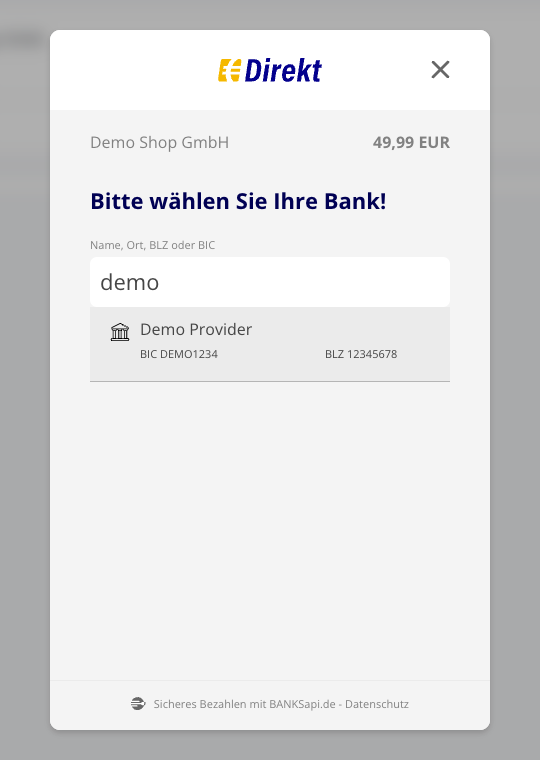 |
| Logging in with the online banking credentials | 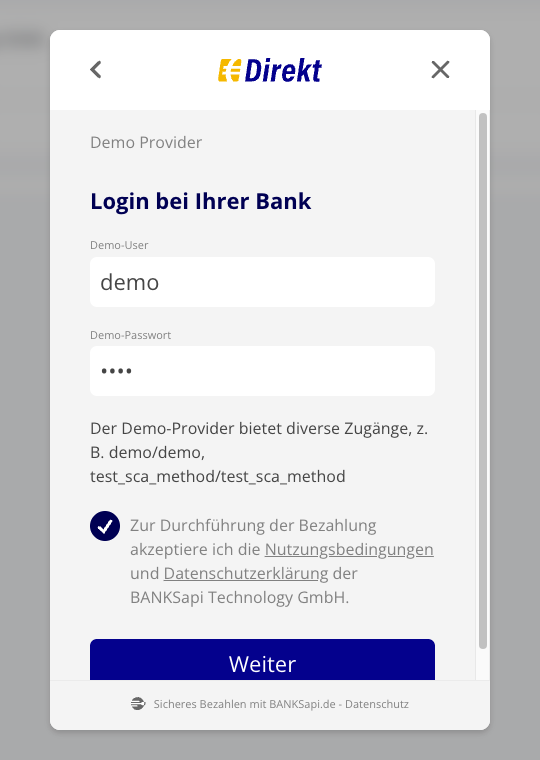 |
| Choosing the account to pay from | 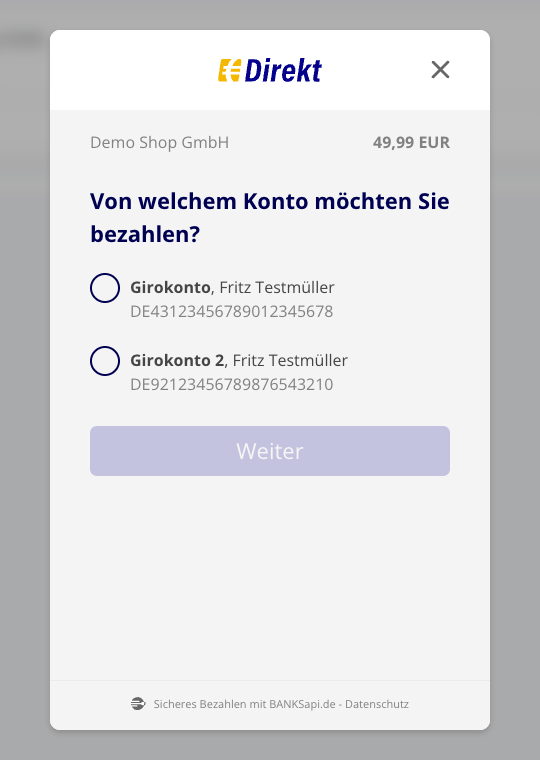 |
| Confirming the transfer, including the Verification of Payee result for recipient name and IBAN | 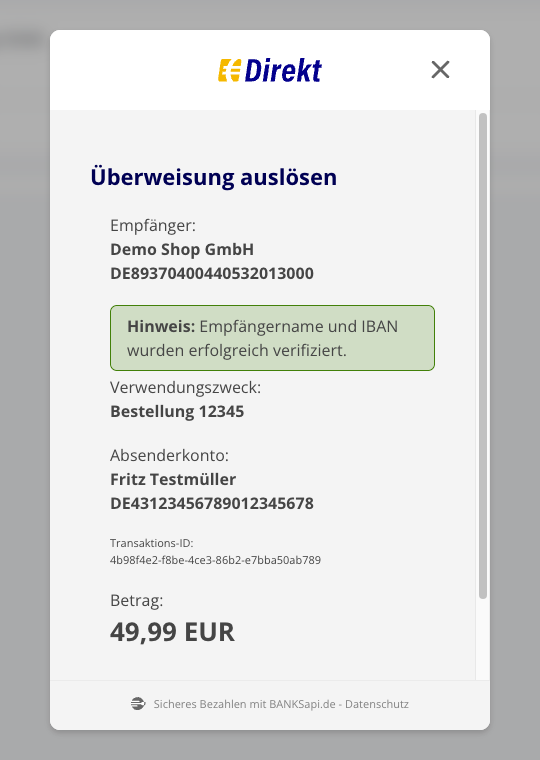 |
| Payment completed — the success callback fires and the overlay closes | 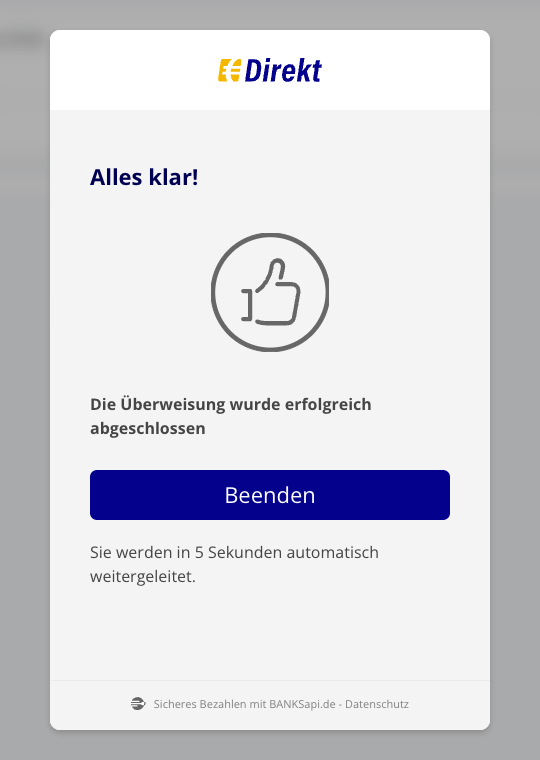 |
Depending on the bank, additional steps can appear between login and confirmation — for example selecting an SCA method or entering a TAN.
Step 4: Handle Callback
After the user completes (or cancels) the payment flow, PAY/Connect calls your success or error callback. Use this to redirect the user or update your UI, and verify the transaction status on your backend.
Complete Integration Example
<!DOCTYPE html>
<html>
<head>
  <title>Checkout - Your Shop</title>
</head>
<body>
  <h1>Complete Your Payment</h1>

  <!-- PAY/Connect will render here -->
  <div id="pay-connect-app"></div>

  <!-- Include PAY/Connect JS library -->
  <script src="https://banksapi.io/payconnect/app/js/app.js"></script>

  <script>
    // Initialize PAY/Connect with sessionId from your backend
    window.payConnect.start(
      { sessionId: "base64-encoded-session-id-from-backend" },
      function(success) {
        window.location.href = "/checkout/thank-you?status=success";
      },
      function(error) {
        window.location.href = "/checkout/thank-you?status=error&message=" + error;
      }
    );
  </script>
</body>
</html>
Checking Transaction Status
After the payment flow completes (via callback), you can verify the transaction status:
curl -X GET https://banksapi.io/payconnect/backend/transaction/{transactionId} \
  -H "Authorization: Bearer your-access-token-uuid"
Important Notes
- No Redirect URL: PAY/Connect is an embedded library, not a redirect-based solution. Do not try to redirect users to a PAY/Connect URL - instead, embed the library on your page.
- Session Expiry: Sessions expire after 10 minutes of inactivity.
- HTTPS Required: The frontend must be served over HTTPS in production.
- Container Element: The
#pay-connect-appcontainer must exist before callingwindow.payConnect.start().